
Works in the background
Clicks, keys and text go straight into the window your agent is working in. The app is never activated, so you can keep working in another app at the same time.

Let your AI agent work in your Mac apps — in the background, even while your Mac is locked.
Lunhand is an MCP server for macOS. Claude Code, Claude Desktop and other MCP clients can see, click and type in your apps without bringing them to the front. Your front app, pointer, clipboard and input language stay where you left them.
Coming soon
Clicks, keys and text go straight into the window your agent is working in. The app is never activated, so you can keep working in another app at the same time.
Step away and your Mac locks as usual. When your agent needs an app, Lunhand opens the session on the Mac you set it up on, covers the screen, does the work and locks the Mac again.
Touch the keyboard, mouse or trackpad while the cover is up and Lunhand locks the Mac within 0.13 seconds, then waits five quiet minutes before carrying on.
Several agent sessions can use Lunhand together. The Mac is locked again only after the last one finishes.
Lunhand reads buttons and text fields through macOS accessibility, so your agent can press the right button and add text exactly where it belongs — Korean included.
Ask for a page in Google Chrome and it opens in a new tab of the window you used last, without pulling Chrome in front of you.

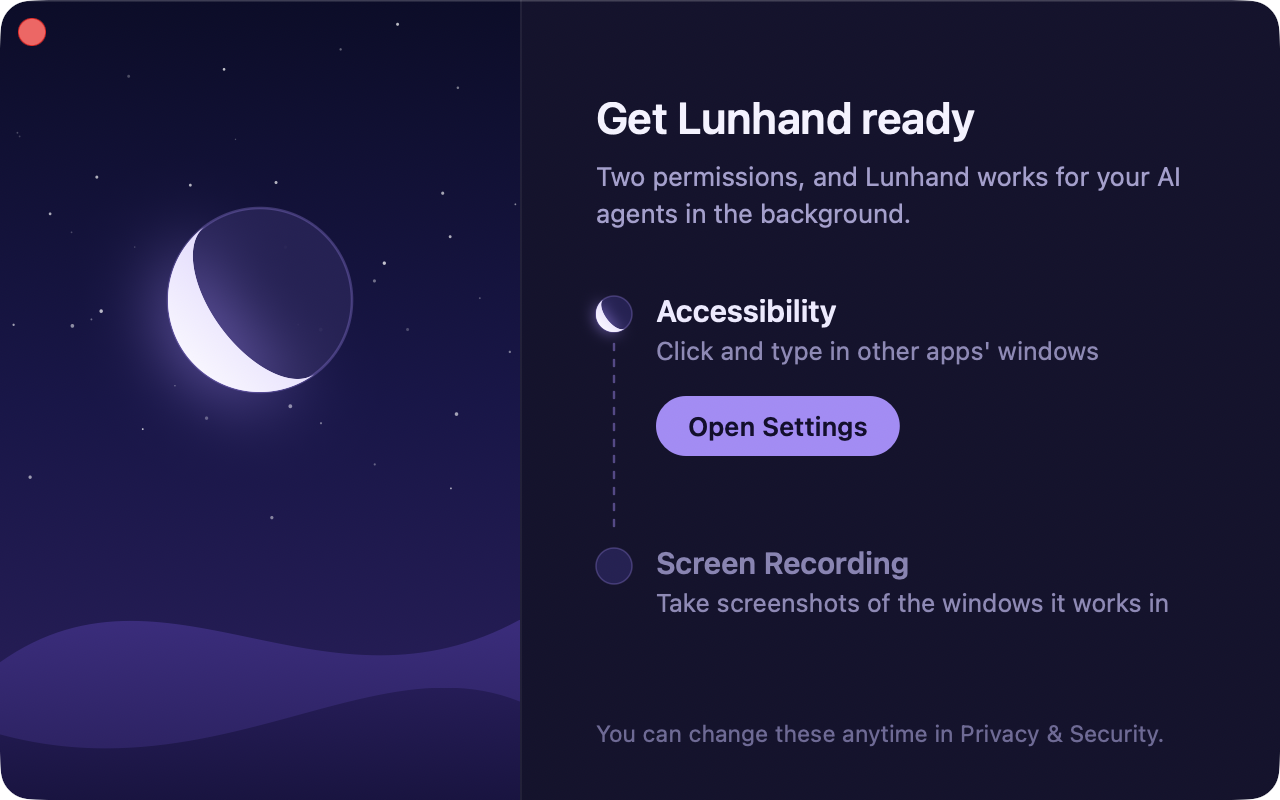
Lunhand needs two macOS permissions — Accessibility and Screen Recording — and your admin password once for the locked-Mac part. A setup window walks you through both permissions, and the moon fills as each one is turned on.
One-time purchase
The price will be announced at launch.
Coming soon
Lunhand works only on the Mac you install it on, and the locked-Mac part needs your admin password to set up. Your password and Touch ID keep working as before. It cannot unlock other devices, your Apple ID, or a Mac that has just been turned on.